Free weekly newsletter template
A weekly newsletter should take about three minutes to read. Use the same short format each week: a one-line intro, three to five numbered items with a sentence or two each, a small calendar, one ask, and a sign-off. Download the free template below, or copy the example text for each part.
Last reviewed October 22, 2026
Get the template
Word file (.docx), about 40 KB. Opens in Google Docs, Microsoft Word and Pages. Free, no email needed.
"This Week at [Your Organization]" masthead, three numbered items, a calendar and quick hits side by side, and one ask. Example copy throughout. To use it in Google Docs, choose File, Open, Upload.
The weekly format, part by part
Subject line
Make it the same each week plus the main item, so people spot it in their inbox.
This week at Maple Street: new hours Monday, workshop sign-ups close Friday
One-line intro
Hi everyone, here's what you need to know this week. It takes about three minutes.
Three to five numbered items
Most important first. A bold one-line heading and one or two sentences each. Link to details instead of explaining everything.
1. New hours start Monday. Doors open at 7 AM instead of 8 AM. Everything else stays the same.
2. Workshop sign-ups close Friday. Twelve spots are left for the November workshop.
3. Photo of the week. The new mural on the side of the building is finished. Thanks to everyone who helped paint.
On the calendar
- Mon: New hours start
- Wed: Team meeting, 9 AM
- Fri: Workshop sign-ups close
One ask, then sign off
Reply with your vote for the holiday party date by Wednesday.
See you next week,
Sam
How to keep a weekly newsletter going
- Collect as you go. Keep one running note. When something happens, add a line. On send day, pick the top three to five.
- Same time every week. Thursday afternoon or Monday morning, whatever fits your readers. Then stick to it.
- Short beats complete. A weekly that takes three minutes gets read. One that takes ten gets saved for later and forgotten.
- Skip a week rather than pad it. If there's truly nothing, a quiet week is better than filler. If quiet weeks are common, a monthly newsletter may fit better.
Not sure about weekly? See how often to send a newsletter. Churches often send weekly; see our church newsletter page.
Or skip the doc
Weekly is where doing it by hand wears people out: same layout, new news, every seven days.
With MailWild you tell it your news in a few lines, add your photos or a YouTube link, and it writes the whole newsletter in seconds. You don't start from the doc. Drafts come back in Clean, a plain modern look in your brand color, and one click shows the same draft in Weekly Roundup, the look below, or any other look. Your words and photos stay put. You can also pick a look first and have MailWild fill it in.
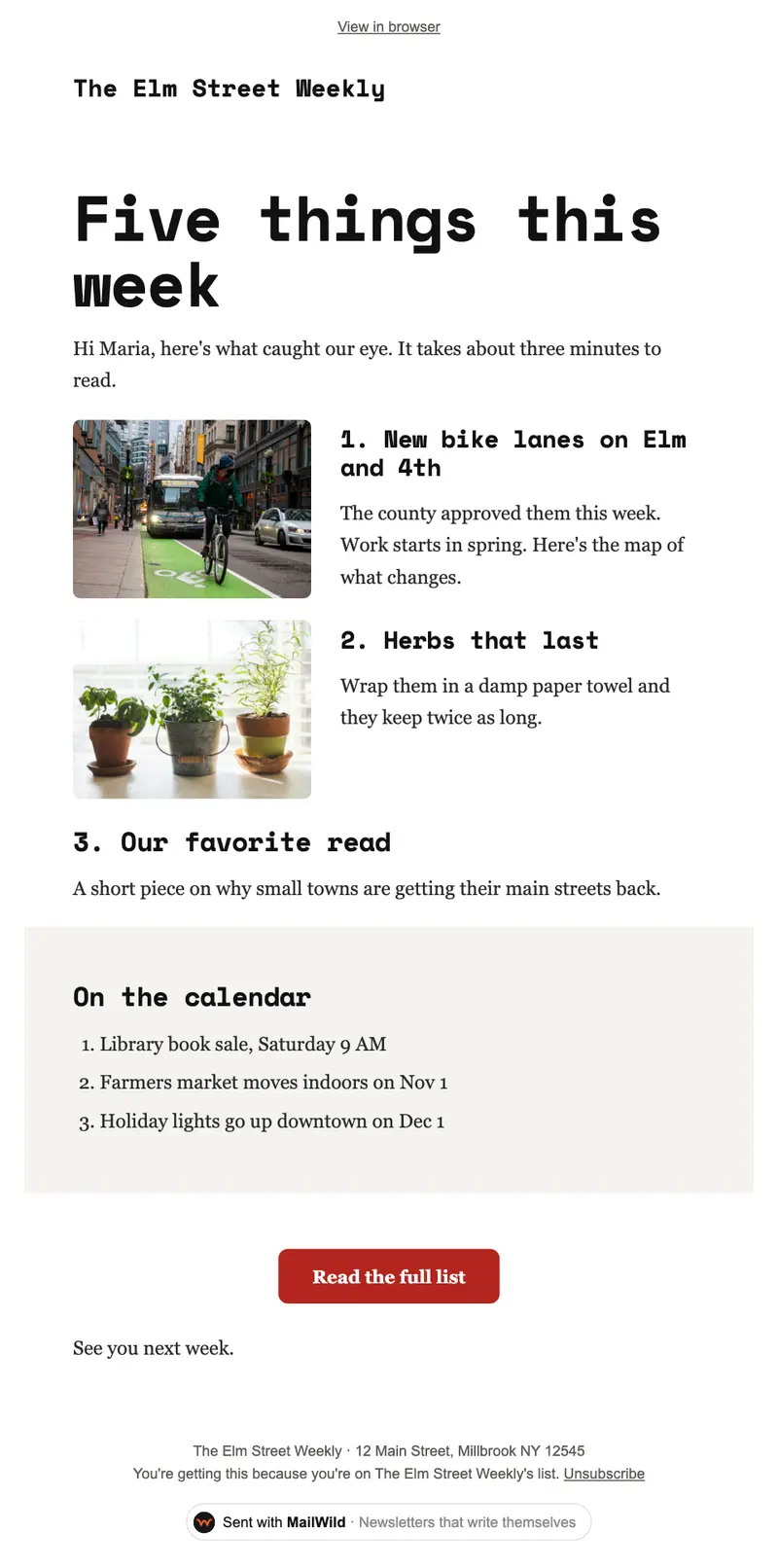
- Edit anything in a simple block editor: photos, buttons, two-column rows and color bands. It looks right on phones automatically.
- Send from your own address at your own domain, signed so inboxes can verify it. Schedule it for later or send a free test to yourself first.
- Unsubscribes are handled. A one-click unsubscribe link and your mailing address are added to every email, and bounced addresses are removed.
- See who opened. Each newsletter shows delivered, opens, clicks and unsubscribes.
- Bring your list. Import a spreadsheet (CSV or Excel) or paste a list of emails. Duplicates and bad addresses are set aside for you.
The templates come with the software. Setting up is free: import your list, write, connect your domain and send yourself tests. You pay when you send to your list, priced by list size, with a 14-day money-back guarantee on the first payment. There is no free plan. See pricing.
Questions
What should a weekly newsletter include?
A one-line intro, three to five short numbered items with the most important first, a small calendar of the week's dates, one ask, and a sign-off. Aim for about three minutes of reading.
How long should a weekly newsletter be?
Short. Three to five items with one or two sentences each, about three minutes to read. Link to details instead of explaining everything in the email.
What's the best day to send a weekly newsletter?
The one you can keep. Pick a day and time that fits your readers, such as Monday morning for a work week or Thursday for weekend plans, and send at that time every week.
Is this weekly newsletter template free?
Yes. It's a free Word file that also opens in Google Docs (File, Open, Upload). No signup needed.