How to make a mailing list in Outlook
In Outlook, a mailing list is a contact list (called a contact group in classic Outlook). In new Outlook or Outlook on the web, go to People, select a contact, choose Add to list, then New contact list. In classic Outlook, go to People, choose New Contact Group, name it, add members and Save & Close. Then type the list's name in Bcc.
Last reviewed October 22, 2026
New Outlook for Windows and Outlook on the web
- Open Outlook and select People on the side panel.
- Select a contact you want on the list.
- Right-click the contact, or use the ribbon, and select Add to list > New contact list.
- Name the list, like "Newsletter", and add the other members by name or email address.
This also works at outlook.com and in Outlook for Microsoft 365 on the web.
Classic Outlook for Windows
- Open classic Outlook and select People on the side panel.
- Select New Contact Group on the ribbon.
- Type a Name for the group, then select Add Members to add people from your contacts or address book, or type new addresses.
- Select Save & Close.
Bring people in from a spreadsheet
- Save the spreadsheet as a CSV file with a header row (Name, Email Address). Microsoft recommends UTF-8 encoding so names with accents come through.
- New Outlook and outlook.com: go to People, then on the ribbon Manage contacts > Import contacts. Choose Browse, pick the CSV, and select Import.
- Classic Outlook: File > Open & Export > Import/Export, then Import from another program or file, then Comma Separated Values, and follow the steps.
- Then add the imported contacts to your list or group as above.
Steps checked against Microsoft's help pages as of October 2026. Outlook's menus change between versions; if yours looks different, search Microsoft Support for "create a contact list in Outlook".
Email the list
- Start a new email.
- In Bcc, type the list's name and pick it. (If you don't see Bcc, look for it on the Options tab or next to the To line.)
- Put your own address in To, write your newsletter (or paste our free Outlook newsletter template) and send.
Outlook's limits, honestly
Limits from Microsoft's Outlook.com and Exchange Online documentation, as of October 2026.
- Outlook.com with a Microsoft 365 subscription: 500 recipients per message, 5,000 recipients a day, and 1,000 a day to people you've never emailed before. Free accounts and new accounts get lower limits.
- Work accounts on Microsoft 365: up to 1,000 recipients per message (your admin sets the number) and 10,000 recipients a day. A contact list in your mailbox counts each member separately.
And a contact list is not a newsletter tool:
- No unsubscribe link. You remove people by hand when they ask. See email newsletter rules.
- No opens or clicks. You can't tell who read it.
- Bounced addresses stay on the list until you take them off.
- Spam folders. Bulk mail from a personal or work inbox is easy for other inboxes to distrust.
For a team or a small committee, an Outlook contact list is fine. For a newsletter to customers, members or families, use a newsletter tool.
Move the list to MailWild when it outgrows Outlook
Export your contacts from Outlook to a CSV file (Microsoft's help page "Import or export contacts in Outlook using a .csv file" has the steps for your version). MailWild imports that CSV, matches the columns, removes duplicates and sets aside bad addresses.
With MailWild you tell it your news in a few lines, add your photos or a YouTube link, and it writes the whole newsletter in seconds. You don't start from an Outlook draft. Drafts come back in Clean, a plain modern look in your brand color, and one click shows the same draft in any of the other 14 looks. Your words and photos stay put. You can also pick a look first and have MailWild fill it in.
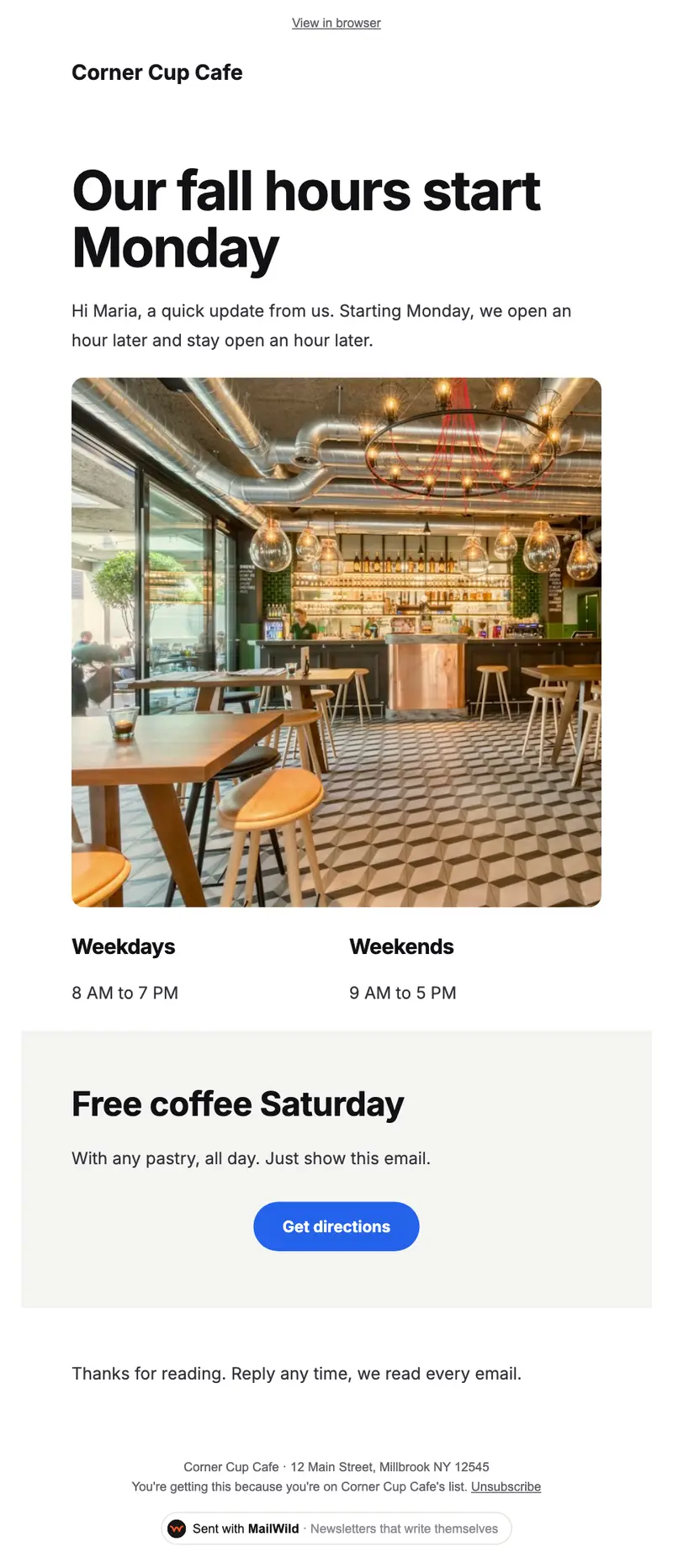
- Edit anything in a simple block editor: photos, buttons, two-column rows and color bands. It looks right on phones automatically.
- Send from your own address at your own domain, signed so inboxes can verify it. Schedule it for later or send a free test to yourself first.
- Unsubscribes are handled. A one-click unsubscribe link and your mailing address are added to every email, and bounced addresses are removed.
- See who opened. Each newsletter shows delivered, opens, clicks and unsubscribes.
- Bring your list. Import a spreadsheet (CSV or Excel) or paste a list of emails. Duplicates and bad addresses are set aside for you.
The templates come with the software. Setting up is free: import your list, write, connect your domain and send yourself tests. You pay when you send to your list, priced by list size, with a 14-day money-back guarantee on the first payment. There is no free plan. See pricing.
Questions
Can you make a mailing list in Outlook?
Yes. In new Outlook and Outlook on the web it's a contact list (People, Add to list, New contact list). In classic Outlook it's a contact group (People, New Contact Group).
What's the difference between a contact list and a contact group in Outlook?
They're the same idea. New Outlook and Outlook on the web call it a contact list; classic Outlook calls it a contact group.
How many people can I email at once from Outlook?
As of October 2026, Microsoft lists 500 recipients per message and 5,000 a day for Outlook.com with Microsoft 365, lower for free accounts, and up to 1,000 per message and 10,000 a day for work accounts, depending on your admin.
Should I use To or Bcc for an Outlook contact list?
Bcc. It keeps everyone's address private and prevents reply-all chains. Put your own address in To.
Does an Outlook contact list have an unsubscribe link?
No. Outlook doesn't add one to emails you send to a contact list. Newsletter tools add an unsubscribe link and remove people automatically.